
Shuffle casino login: back to the table in seconds
Signing in to Shuffle is a two-field job — the identifier you registered with and your password. Everything else on this page is about the situations where that does not go smoothly: a second factor, a stale session, a browser that will not release a cached token.
How to reach your Shuffle account
The sign-in panel is a modal, not a separate page. It opens over whatever you were looking at, which means you can be back on the Hilo table without losing your place in the lobby.
Open the site
Type the address yourself or use a bookmark you created. Avoid links arriving by message or email.
Select Login
Top-right of the header. The panel opens with Register and Login tabs — make sure Login is the active one.
Enter your identifier and password
Whichever of email or username the account was created with will work in the first field.
Confirm the second factor
If two-factor authentication is enabled, supply the current code from your authenticator app.
Return to Hilo
Head to Shuffle Originals and the Hilo table picks up with your balance already loaded.
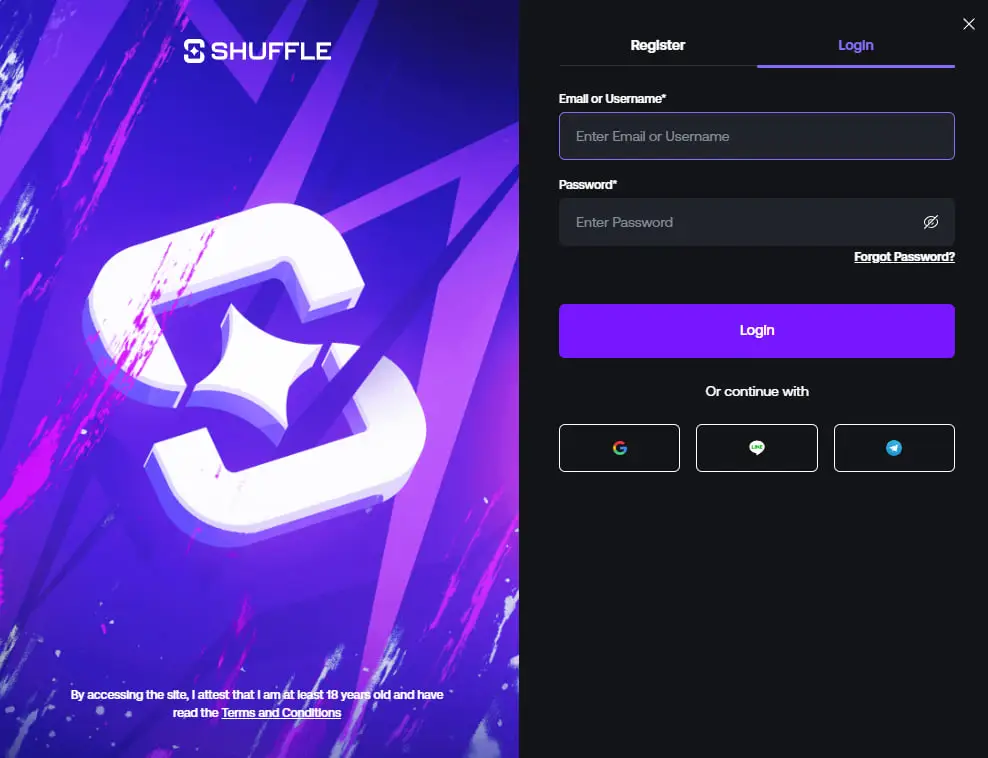
Desktop and mobile, side by side
Same account, same credentials, two slightly different layouts. Sessions run independently, so signing in on a phone does not sign you out on a laptop.
Login on desktop
- Panel opens as a centred modal over the lobby
- Password managers autofill both fields normally
- The left column carries the artwork; the form sits on the right
- Closing the modal returns you to the same lobby position
If autofill inserts an old password after a reset, clear the saved entry first — the browser will otherwise keep re-inserting it on every attempt.
Login on mobile
- Panel opens as a full-height sheet, artwork hidden
- Fields sit above the keyboard so nothing is obscured
- Biometric unlock works through your password manager
- Adding the site to the home screen keeps the session handy
More on the mobile experience on the Shuffle casino app page, including how the Hilo table reflows on a narrow screen.
When the login will not go through
Almost every failed sign-in traces back to one of these five causes.
Wrong identifier
Accounts hold both a username and an email address. If one is rejected without a password error, try the other before assuming the password is wrong.
Stale session data
An expired token can leave the panel looping. Clear the site's cookies and storage, reload, and sign in fresh.
Authenticator drift
Time-based codes fail when the device clock drifts. Enable automatic time sync on the phone and the codes line up again.
Password reset not finished
A reset link that was opened but never completed leaves the old password active. Run the flow through to the confirmation screen.
Extension interference
Aggressive script blockers can stop the panel submitting. Test in a private window with extensions disabled to isolate it.
Still stuck?
Live support inside the site can see the account state. Contact them from the official site rather than from any third-party page.
Password and account access basics
- Use a password that exists nowhere else, generated and stored by a password manager.
- Turn on two-factor authentication as soon as the account is created, not after something goes wrong.
- Store recovery codes somewhere offline — a lost authenticator with no backup is the hardest case to resolve.
- Reach the site by typing the address or using your own bookmark. Search ads and forwarded links are the usual vector for lookalike domains.
- Never approve a sign-in prompt or code request you did not trigger yourself.
- Sign out on any device that is not yours, and review active sessions periodically.
No legitimate operator, and no site covering one, will ever ask you for your password. Nothing on this page collects credentials — the form above is a link to the official panel.
Login is not registration
They share a panel and two tabs, which is exactly why they get confused. The difference matters if you are chasing the welcome offer.
| Login | Registration | |
|---|---|---|
| Purpose | Reopen an account | Create an account |
| Username field | Existing | New |
| Email field | Either identifier | Required |
| Referral Code field | Not present | Present, optional |
Not registered yet and want the welcome offer? SHFLVIP must be typed into the Referral Code field while you create the account — it cannot be added to an account that already exists. Full walkthrough on the Shuffle casino promo code page.
The Hilo table does not stop
Rounds keep resolving whether or not you are signed in. Once you are back on the account, the higher-or-lower call, the multiplier ladder and the bank button are exactly where you left them — and your balance carries across every game in the Shuffle Originals row.
New to the game itself? The Hilo Shuffle breakdown covers how each call is priced and why the flat zone around sevens and eights behaves differently from the extremes.
Login questions
Open shuffle.com, select Login in the top-right corner and switch the panel to the Login tab. Enter the email address or username tied to the account and the password, then confirm any second factor you have enabled.
The usual causes are typing a username where an email is stored, an expired session cached by the browser, an out-of-sync authenticator clock, or a saved password that no longer matches after a reset. Clearing the site data and retrying resolves most of them.
The sign-in panel offers third-party continue options alongside the email and password fields. Whichever method created the account is the method that reopens it, so sign in the same way you registered.
The panel is the same, laid out for a narrow screen. It opens as a full-height sheet instead of a centred modal, and the artwork column is hidden so the fields sit above the keyboard.
No. The Referral Code field belongs to the registration form, not the login form. SHFLVIP has to be entered while a new account is being created and cannot be applied afterwards.
Use a password unique to the site, turn on two-factor authentication, reach the site by typing the address rather than following links from messages, and never approve a login prompt you did not start yourself.